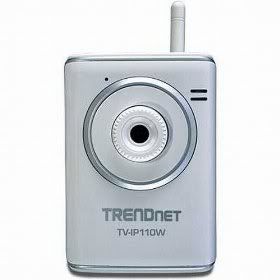
It all depends on what you hope to do with Trendnet Wireless Internet Camera Server.
I was looking for was an IP camera that could detect motion and then capture a still image every 5 to 10 seconds until that motion ceased. The included SecurView software doesn't allow you to capture a single image, but it will allow you to record a short movie when motion is detected. (You can apparently specify the maximum size of the movie file). Alas, Linux is the only OS that I run 24/7 in this house, and SecurView only runs under Windows.
Someone here said that they got this camera to work with ZoneMinder (ZM), but I was not successful. (Apparently, there is a kludge you can patch into ZM to skip some extraneous garbage the camera injects into the video stream. I'm looking for something with a smaller foot-print than ZM, so I never tried that patch. BTW, the URI for video is /cgi/mjpg/mjpeg.cgi). You can get an image from the camera into a browser by hitting the camera with the URI /cgi/jpg/image.cgi. But ZM didn't like that either, even using the username:password@host for the host name. (Rumor is that the camera is either missing or generating invalid HTTP headers so ZM can't handle it - and sorry dude, it's a TRENDnet problem).
I didn't have any trouble getting wireless networking going, WPA2-PRS using AES, (thanks to someone else here who explained the work-around for setting the channel number). I did have to barrow a laptop running Windows to do the configuration. :-\ (The configuration software is browser based, but it requires an Active-X control to do video streaming so you have to use MSIE - as advertised). But the configuration user interface is feature rich and I thought that I'd died and gone to Linux user heaven! (Wait for it...)
You can specify an NTP server to get date/time at camera boot - works! You can turn off the LEDs on the front of the camera - works! you can time-stamp the video/images - works! You can create user accounts with their own passwords - works! You can configure an FTP 'event server' (active or passive) to which you can upload snapshots while viewing live video - works! (Well, I saw it work once - I can't seem to re-create it). You can configure motion detection using two adjustable portals within the view, and FTP those images to your FTP server - Opps! DOESN'T WORK! Supposedly, you can configure an EMAIL server for the same reason - I didn't try it and I'd be surprised if it worked. You can specify 'schedule triggers' (based on specific days and times) that supposedly upload movies to your FTP or EMAIL server - I didn't try those either. These are all configuration items within the camera - I'm not talking about SecurView here. Its a shame that most of these features don't work...
Be aware that there are other issues with this camera. The rumor is that it crashes every couple of days (probably due to a memory leak and a lazy CGI programmer). Someone posted a work-around for that however: they just invoke the URI /cgi/restart.cgi every midnight to reboot the camera. (I presume that this person is also running an NTP server running, to reset the date/time.) Also, I wouldn't call the software all that 'intuitive'.
If you don't mind using this camera with Windows, you will probably love SecurView, even with the camera's faults. SecurView definitely allows you to watch real-time video, and it can definitely detect motion and capture movies when it occurs. If you want to use this camera under Linux, you can apparently get ZoneMinder working by patching and compiling ZM yourself. But if you just want to capture a still image every 5 to 10 seconds while motion is detected, you'll have to write your own HTTP query to get an image periodically, then scan the pixels for 'motion' yourself. (Well, dang it! There goes my weekend...)

Subscribe to:
Post Comments (Atom)
No comments:
Post a Comment